
Orbot is a free proxy app that routes traffic from other apps through the Tor network. Rather than acting as a browser, it works underneath your apps, encrypting what they send and bouncing it across a chain of volunteer-run relays before it reaches its destination. The listing puts it in the Communication category, and that framing is accurate: it exists to make other software communicate more privately.
The app comes from The Tor Project, the same organization behind the Tor network itself. That matters more than usual here, because a proxy tool is only as trustworthy as the people maintaining it.
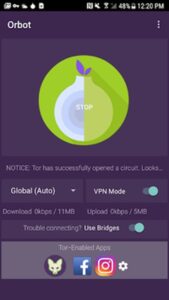
Table of Contents
What Orbot does
Tor defends against traffic analysis, which is the practice of studying who talks to whom and how often rather than reading the messages themselves. For a business, that pattern data can be revealing. Repeated connections to a law firm’s servers, a due-diligence portal, or a competitor’s careers page all say something even when the payload is encrypted.
Orbot addresses that by inserting multiple hops between your device and the endpoint. No single relay in the chain knows both where the traffic came from and where it is going.
The practical result on Android is a proxy other apps can point at, with a VPN-style mode that captures traffic app by app. You choose which apps ride through Tor and which connect normally, which is important because not everything should go through Tor. Video conferencing over a three-hop circuit is a bad time.
The business case for Orbot
Journalists and activists get the headlines, but the business use cases are steadier. Security researchers pull suspicious URLs without exposing their corporate IP range. Procurement and competitive intelligence teams browse supplier or rival sites without announcing the company’s netblock in server logs.
Compliance and legal staff working on sensitive matters sometimes want the same separation between the query and the organization making it. Firewall circumvention is part of the pitch too, since Tor bridges are designed to keep working in networks that block direct connections to the network.
But there is a real limit. Orbot anonymizes the network path, nothing more: not the account you log into, not a device fingerprint your browser leaks, not a document with your name buried in its metadata. Treat it as one layer, not a cloak.
Why run it on Windows instead of a phone
The obvious question for a business audience is why you would run an Android privacy app on Windows at all when Tor has desktop software. The answer is usually mobile app testing and support.
If your team ships an Android app, or supports staff who use one, you often need to see how that specific app behaves when its traffic goes through Tor. Does it time out? Does it leak a direct connection outside the tunnel? Reproducing that on a desktop is faster than passing a test phone around.

Screen and logs
Orbot’s log view, where you watch circuits build and see connection errors scroll past, is cramped on a phone. On a monitor you can keep it open beside the app you are testing and correlate failures in real time.
Bridge configuration is the other case. Entering obfs4 bridge lines by hand on a touchscreen is error-prone, and anyone who has typed a long fingerprint string on a phone keyboard knows the pain of one mistyped character. That is the itch Orbot VPN for Windows scratches: paste several bridges at once, swap between them, and diagnose a blocked network without fighting a touchscreen. A keyboard and clipboard turn a ten-minute job into a ten-second one.
Running Orbot on a PC
You need an Android runtime on Windows. BlueStacks is the common choice, and once it is running,